An install, a signup, a first purchase. Every one of them feels like a win, and then the real test starts. Users who don't find a reason to come back quietly go dormant, and the budget it took to reach them stops paying you back. Sustained value depends on what you do next, which is where mobile app marketing and mobile app retention strategies meet a customer engagement platform that keeps people coming back with relevant, timely messages.
This is a buyer's guide to help evaluate platform capabilities, implementation fit, lifecycle use cases, measurement, scalability, and total cost so you can choose for your own situation rather than defer to a single universal winner.
A quick methodology note: every recommendation below focuses on how a platform matches your channels, data maturity, team capacity, and lifecycle priorities. You'll find checklists, a comparison scorecard, and stage-by-stage lifecycle guidance you can apply during trials and demos.
What is a customer engagement platform?
A customer engagement platform is technology that helps teams use customer data, segmentation, messaging channels, automation, and measurement to deliver relevant communications across the customer lifecycle. It brings together the pieces that would otherwise live in separate tools, so a single audience, a single set of events, and a single measurement view drive every message you send.
Lifecycle marketing is a strategy for engaging customers from their first interaction through post-purchase loyalty, using data and behavior to segment audiences and trigger timely messages across awareness, consideration, conversion, retention, and advocacy. A capable platform gives you the machinery to run that strategy without stitching data across systems by hand.
How a customer engagement platform differs from a push notification provider
A push notification provider primarily sends alerts to devices. A broader customer engagement platform coordinates behavorial data across multiple channels, so a message on one channel reinforces engagement and retention on another.
The practical difference shows up when a user ignores a push notification and you want to follow up by email, or when you need to suppress a campaign for someone who already converted. Verify whether a push-only service supports cross-channel orchestration and unified measurement, since a narrow service may not connect activity across channels or track outcomes end to end. Not every platform supports every capability, so confirm which channels and which measurement tools a given product includes before you assume parity.
The data model behind cross-channel engagement
The distinction between a user and a subscription sits at the center of cross-channel work. A user can represent one individual with one or more messaging subscriptions, while a subscription is the specific device or channel through which that individual receives messages. One person might have an iPhone push subscription, an email subscription, and a web push subscription all tied to the same user record.
This model matters for several reasons:
- Deduplicated targeting stops the same person from receiving three copies of one announcement.
- Frequency control counts messages per person, not per device.
- Consent-aware messaging respects the exact channels a person opted into.
- Cross-channel reporting rolls activity up to the individual, so you can see whether a journey moved a real user rather than a scattered set of tokens.
The capabilities a growing app needs
Buyers should expect a defined set of core capabilities: mobile and web push, in-app messaging, email, SMS and RCS business messaging where needed, segmentation, personalization, journey orchestration, APIs and SDKs, analytics, experimentation, permission handling, and delivery monitoring. Not every team needs all of these on day one, but the platform should let you add them without a migration.
You can see the range of business situations these capabilities support, from onboarding to reactivation across industries.
Messaging channels and when to use them
Each channel has a job, and no user should receive every channel for every message. Because each user may hold several subscriptions, channel roles operate at the person level, not the device level. Use these roles as a starting point:
- Mobile push notifications work for timely, opt-in re-engagement and broad announcements to people who agreed to receive them.
- In-app messages deliver contextual guidance while a user is active inside the app.
- Email carries richer or less time-sensitive follow-up.
- SMS and RCS fit high-urgency, consented communications where you need reliable reach.
- Web push reaches people through the browser when they are not in the app.
Match the channel to intent and consent state, then let your segmentation decide who is eligible.
Audience data, segmentation, and personalization
Segmentation groups users by attributes and behavior so a message reaches the people it applies to. Personalization goes further by matching message content, channel, and timing to a person's behavior, preferences, and lifecycle stage. A welcome sequence for a new user should read differently from a nudge to a lapsed power user, and the platform should make that difference easy to express.
Strong personalization draws on real-time behavior and stored attributes together. Look for the ability to insert user properties into message copy, branch a journey on what someone did or did not do, and choose a send time that fits the individual rather than a fixed clock.
Journeys, automation, and experimentation
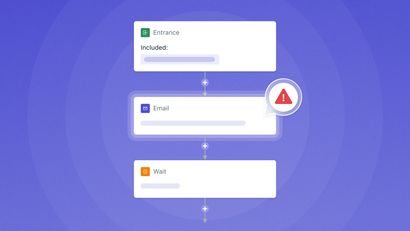
Lifecycle marketing runs on automation, not one-time broadcasts. Look for behavioral triggers, reusable journey templates, branching logic, frequency controls, holdout groups, and A/B testing. A journey should fire when a user takes an action, wait for a signal, and take a different path depending on what happens next.
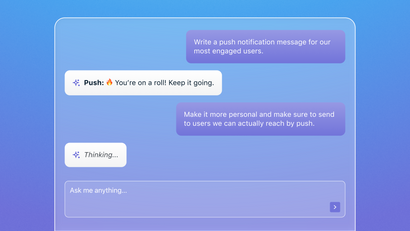
Treat experimentation as a standing part of the system, not a one-off project. The data backs this up: OneSignal's 2026 State of Customer Engagement Report found behavior-triggered sends outperform standard broadcasts by 4–9x on click-through rate, and teams running automated Journeys report meaningfully higher revenue from the users who move through them. Some platforms are pushing the automation layer further with AI. OneSignal's MCP Server, for example, lets an AI assistant build a segment or draft a OneSignal Journey directly against your event data instead of only through a dashboard, which is timely, since the same report found most teams (65%) are still just experimenting with AI in messaging rather than running it in production.
Developer tools, reliability, and governance
The engineering side determines how quickly you reach production and how well the platform behaves at scale. Evaluate SDK documentation quality, API flexibility, event tracking, identity resolution, consent handling, deliverability visibility, data governance, and role permissions. Confirm integration fit with your analytics, CDP, CRM, and warehouse tools.
Push support should cover both mobile and web, including advanced targeting and automation, so a growing app does not outgrow the channel. Governance features, such as role permissions and audit visibility, become essential as more people touch campaigns and as compliance obligations grow.
At-a-glance customer engagement platform comparison framework
Use this scorecard as a consistent way to compare shortlisted options, not as a named vendor ranking. Request evidence during trials or demos, test key workflows with your own event data, and record your implementation assumptions alongside every feature score. Keep vendor claims, trial observations, implementation effort, and independently verifiable evidence in separate columns of your internal evaluation so marketing copy never inflates a score.
Every criterion below feeds user-base growth. Reliable delivery protects time-sensitive campaigns. Segmentation improves relevance. Orchestration reduces manual work. Analytics reveals outcomes. Scalable pricing prevents a disruptive migration later. When you weigh integration fit, engineering capacity, channels, total implementation cost, and time to production, work through a structured method like the one in this guide on choosing a platform that fits your actual tech stack.
How to evaluate mobile push notification providers
Push is one component of a broader engagement strategy, so evaluate it as part of the whole rather than in isolation. A useful framework tests transactional and lifecycle push against reliability, scalability, rich-content support, platform support, customization, and cost. Score each area against real workflows you plan to run.
Reliability and delivery evidence
Ask the platform to show delivery reporting for a live campaign, not a slide. Test how it handles invalid tokens, whether opt-in and permission state are visible per user, and how it behaves when a send fails or needs a retry. Check for campaign safeguards that prevent a bad send from reaching your whole audience. Do not accept an unverified delivery-rate claim; verify the reporting yourself during a trial.
Scalability, platform coverage, and rich content
Confirm the platform handles your projected message volume and audience size, with rate controls and geographic distribution that match where your users are. Ask what support you can expect and whether workflows stay responsive as events and segments grow.
For content, assess images, deep links, and action buttons, along with platform-specific behavior across mobile operating systems and web push. Rich, well-linked notifications give users a reason to tap and a clear next step once they do.
Customization, cost, and implementation fit
Evaluate the customization criteria from the comparison framework above against the specific messages you plan to send, confirming how far you can tailor content and how much you can automate.
On cost, weigh the pricing and implementation-effort criteria from that same framework against your own volume projections and internal engineering capacity. When you prioritize native integrations, realistic engineering capacity, actual channel needs, full implementation cost, and speed to production, apply the same tech-stack fit method you use for the wider platform decision.
Map lifecycle marketing to the mobile user journey
Lifecycle marketing works as a connected system, not a set of isolated campaigns. Each stage ties to a user behavior, a business goal, an appropriate channel, and a measurable outcome. The mobile app retention strategies below give each stage a trigger, a channel choice, a message purpose, and a success metric.
Onboarding: Reach the first value moment
Map the first-value action, the single step that shows a new user why the app matters. Set drop-off triggers for incomplete setup or tutorials, then use push plus in-app messaging to guide users back to the next useful action. A role-based retention approach gives the example of following up when a user has not completed a tutorial within 24 hours.
Apps that lean on push in the onboarding window see the clearest payoff. OneSignal's 2026 State of Customer Engagement Report found push has the single greatest impact on long-term retention in the first 30 days after install — more than email and in-app combined — and teams running automated Journeys report meaningfully higher revenue from the users who move through them. Success metric: completion rate of the first-value action within your onboarding window.
Activation: Reinforce meaningful product use
Once a user reaches first value, activation deepens the habit. Use behavior-based education, contextual in-app prompts, feature discovery messages, and milestone nudges instead of generic blasts. Trigger a feature tip when a user finishes a related action. Celebrate a milestone the moment it happens.
In-app messages matter here because they can bridge engagement gaps for users who are not opted in to notifications. Success metric: activation rate, the share of new users who reach a defined set of meaningful actions.
Re-engagement: Respond to inactivity with context
Winback messages should reflect the last meaningful behavior before inactivity, such as unfinished onboarding, an unclaimed reward, or an explored but unactivated feature. A generic "we miss you" note performs worse than a message that picks up where the user left off.
Trigger these journeys on a defined inactivity window that fits your product's natural rhythm. Pair the message with a deep link straight to the relevant screen. Success metric: reactivation rate among the inactive cohort you targeted.
Churn prevention and long-term retention
Build early warning segments based on reduced meaningful activity, declining feature use, or missed lifecycle milestones. Reach these users before they leave, pairing a helpful message with a clear deep link or next action.
For long-term retention, combine personalized content delivery, feature announcements, rewards, proactive support, feedback loops, and ongoing education. When you time discounts and rewards to recover acquisition cost, the tactics in this guide on increasing app engagement help you set targets. Success metric: retention rate and lifetime value by cohort.
Choose the right mobile engagement platform for your growth stage and team
There is no universal best platform. The right customer engagement platform is the one that matches your channels, data maturity, implementation capacity, budget, compliance needs, and lifecycle priorities. Weigh those factors for your own team rather than chasing the longest feature list.
For lean teams building their first lifecycle programs
Prioritize fast setup, intuitive workflows, pre-built journeys, straightforward segmentation, and a manageable starting scope. Begin with simple automations such as welcome messages or abandoned-cart reminders, then expand from there using templates and pre-built journeys. A small program you can run well beats an ambitious one you cannot maintain. Some platforms, OneSignal included, ship these as ready-made templates so you're customizing something that already works rather than building from a blank canvas.
For teams scaling cross-channel engagement
Prioritize cross-channel orchestration, behavioral segmentation, experimentation, consistent measurement, and the ability to standardize lifecycle operations across product, marketing, and data stakeholders. At this stage the value comes from coordinating channels around a single user record and running experiments that hold up across a larger audience.
For organizations with complex data and governance needs
Prioritize integration architecture, identity and consent controls, governance, role permissions, APIs, scalability, and phased migration planning. Complex organizations carry compliance obligations and many internal stakeholders, so the platform must support controlled access and predictable behavior at high volume.
Whatever your stage, build a scorecard, assign weighted criteria, run a proof of concept using a real journey, estimate total cost of ownership, and validate reporting before you sign a long contract. You can also review why teams choose a particular platform when they compare options across marketing, product, and engineering.
Measure engagement, retention, and lifecycle impact
Measurement turns lifecycle marketing from activity into evidence. Define what you will track before you launch, then hold yourself to outcomes rather than message counts.
Define the metrics before launching a journey
Start with the retention rate: active users at the end of a period divided by active users at the start of that period, multiplied by 100. Then separate the fuller set of metrics you will watch: delivery, opt-in rate, click-through rate, conversion rate, activation rate, retention rate, reactivation rate, churn rate, repeat use, feature adoption, and lifetime value. Assign each journey a primary metric before it goes live so success is defined in advance.
Measure incremental impact, not just message activity
Open rates and click-through rates are diagnostic signals. Retention, conversion lift, meaningful repeat behavior, and lifetime value connect messaging to business outcomes. Measure by cohort, grouping users by acquisition date, lifecycle stage, channel exposure, and segment, because aggregate averages can hide changes in new-user behavior.
Use A/B tests for message content, timing, channel, and calls to action. A/B testing can compare variations such as subject lines or send times to find what performs best. To confirm incremental lift as described under journeys and experimentation, use holdout groups. A role-based approach shows how holdouts assess whether a channel produced incremental lift beyond normal behavior.
Build a continuous optimization routine
Run a lifecycle audit each quarter that incorporates behavioral insights, product changes, and evolving user expectations. Products change, users change, and a journey that worked six months ago may leak value now. A regular lifecycle audit surfaces the silent problems that erode retention before they show up in headline numbers.
A practical customer engagement platform selection checklist
Work through these actions to turn the guide into a plan:
- Define the growth problem you are trying to solve.
- Map the customer journey from first touch to loyalty.
- Identify the channels you actually need, not every channel available.
- Document your first-party data and the events you can track.
- Choose the initial segments that matter most.
- Select one onboarding journey and one re-engagement journey to pilot.
- Validate delivery and reporting with your own event data.
- Test integrations with your analytics, CDP, CRM, or warehouse.
- Estimate implementation effort and total cost of ownership.
- Establish success metrics and a review cadence.
Begin with a small number of high-value lifecycle moments, then expand based on measured results rather than launching every possible automation at once. When a checklist item points toward a capability, explore how it maps to real situations on the use-cases page or how tailored messaging works on the personalization page.
The central takeaway is simple. Choose a customer engagement platform for lifecycle fit and measurable growth, then validate the choice through a real-world pilot before you commit. A platform that matches your channels, data, and team will keep more of the users you worked hard to acquire.
Get Started with OneSignal for FreeFrequently asked questions about customer engagement platforms for mobile growth
Can a growing app start lifecycle marketing with only one channel?
Yes. Many teams start with mobile push notifications alone and add channels once the first journeys prove out. A single channel keeps setup simple and lets you learn what messages move users before you add coordination overhead. Choose a platform that supports more channels natively, so adding email or in-app later does not require a migration.
How many lifecycle journeys should a small team launch first?
Start with two: one onboarding journey that guides new users to first value, and one re-engagement journey that responds to inactivity. Two journeys are enough to cover the highest-leverage moments without overwhelming a lean team. Once both show measured results, add a third based on where you see the largest drop-off in your funnel.
What should a mobile push notification test include before a platform rollout?
Test delivery reporting on a live send, invalid-token handling, opt-in and permission-state visibility, retry behavior, and campaign safeguards that stop a bad send. Send to a small internal segment first and confirm the reporting matches what devices actually received. Include a deep-link test so you verify that a tapped notification opens the correct screen.
How can teams avoid over-messaging users across push, email, SMS/RCS, and in-app messages?
Apply the per-user frequency controls described earlier, and set channel roles by intent and consent so a person is not hit on every channel for the same message. Suppress users who already converted from a related campaign. Build the frequency cap into the platform's journey logic rather than tracking it manually, since manual limits break as programs grow.
What data events should a team track before building automated journeys?
Track the events tied to your first-value action, key feature use, purchases or conversions, and signals of inactivity. These events let a journey fire on real behavior instead of arbitrary timing. Define each event's name and properties before instrumentation, so segmentation and personalization can use them consistently across channels.
When should a business consider replacing its customer engagement platform?
Consider a switch when the current tool cannot support the channels you now need, when integration gaps force manual data work, when pricing scales unpredictably, or when reporting cannot prove incremental impact. Build the case on metrics, growth needs, and total cost, using a structured method like the one in this guide on making the case to leadership. Run a proof of concept on a real journey before you commit to the replacement.